Speediance Add Activity: See Your Manual Activities in the GM Manager Calendar
That run, bike ride or yoga class you logged with "Add Activity" in the Speediance phone app now shows up in your GM-Manager.com Calendar, next to your Gym Monster sessions.
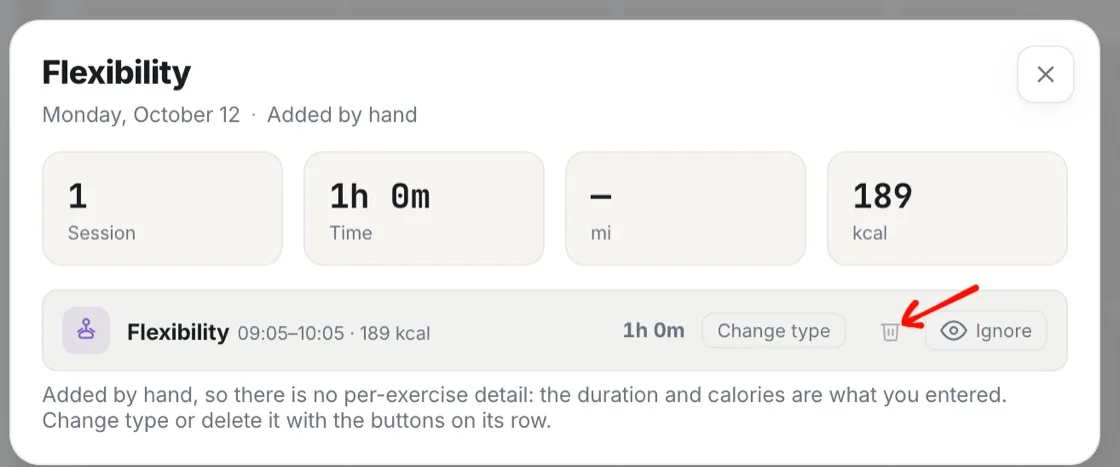
Manual activities next to your Gym Monster sessions
Your Speediance manual activities and your Gym Monster sessions now sit in one calendar, so your training week is in one place.
What you can do with manual activities in GM-Manager.com
- See the activities you logged with Add Activity in the Speediance app.
- Add a manual activity right in GM-Manager.com.
- Change a manual activity.
- Delete a manual activity.
Frequently asked questions
Do Speediance Add Activity entries show in GM-Manager.com?
Yes. The run, bike ride or yoga class you logged with Add Activity in the Speediance phone app shows up in your GM-Manager.com Calendar, next to your Gym Monster sessions.
Can I add or change manual activities in GM-Manager.com?
Yes. You can add, change or delete manual activities right in GM-Manager.com.
Can the AI Coach see my manual activities?
Yes. Your AI assistant and the AI Coach can read and create manual activities too.
Try GM Manager
GM Manager is a web app for your Speediance Gym Monster: custom workouts, calendar, progress and more.