
Builder
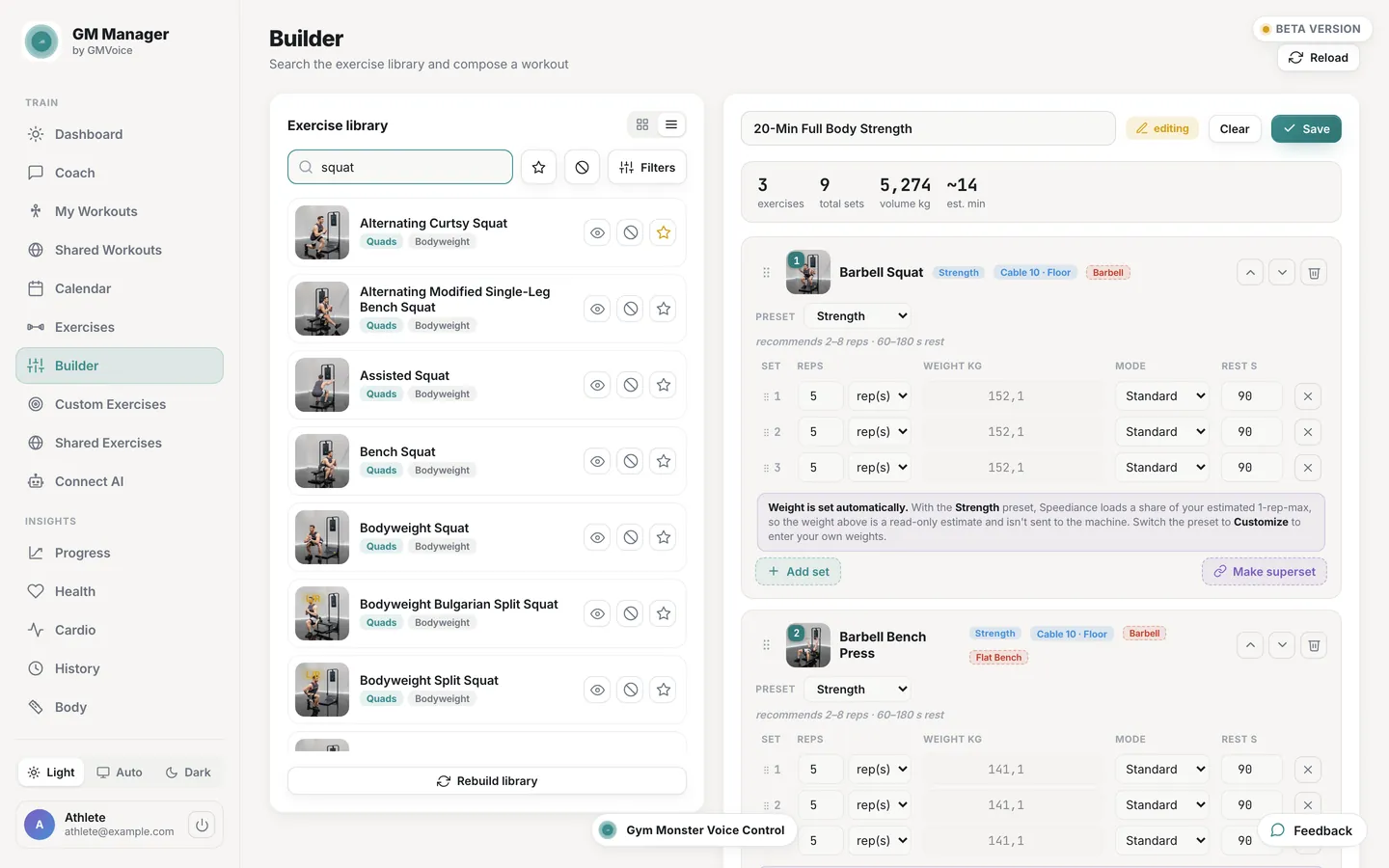
Custom workout builder
Pick exercises, set reps, weight, rest and order, then save the workout straight to your Speediance account. Search the full exercise library, mark favourites and hide the movements you never want to see.
Free web app for Speediance owners
GM Manager is a web app for your Speediance account. Build a custom Speediance workout on a laptop, schedule it in a calendar, follow your progress and keep your own copy of your data. Everything you save lands in the same account your machine already uses.
GM Manager is free. MCP, REST API and the AI coach are optional add-ons.
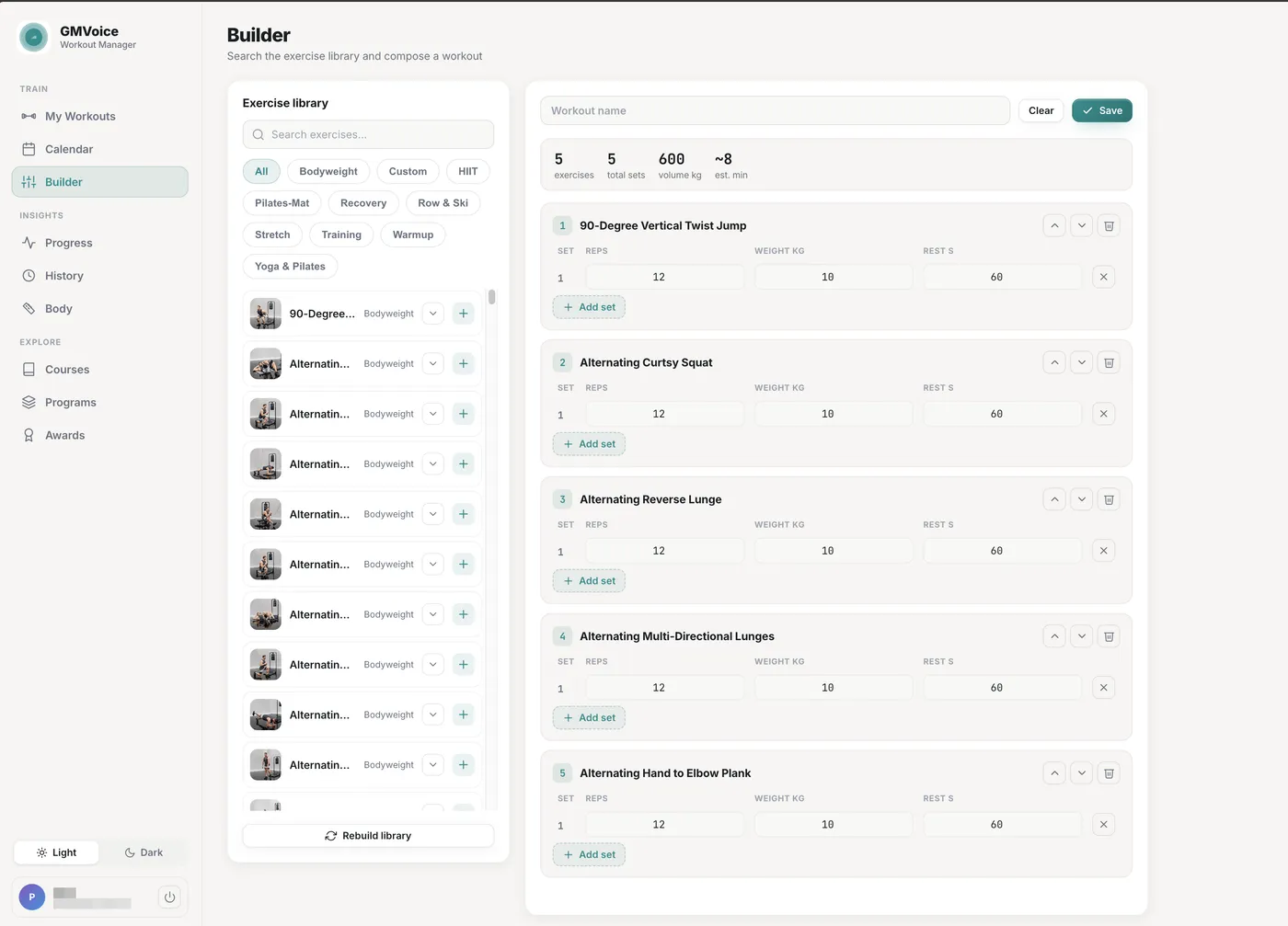
The phone app is fine next to the machine. GM Manager is for the planning you would rather do sitting down, with a keyboard and a full month in view.
Builder
Pick exercises, set reps, weight, rest and order, then save the workout straight to your Speediance account. Search the full exercise library, mark favourites and hide the movements you never want to see.
Calendar
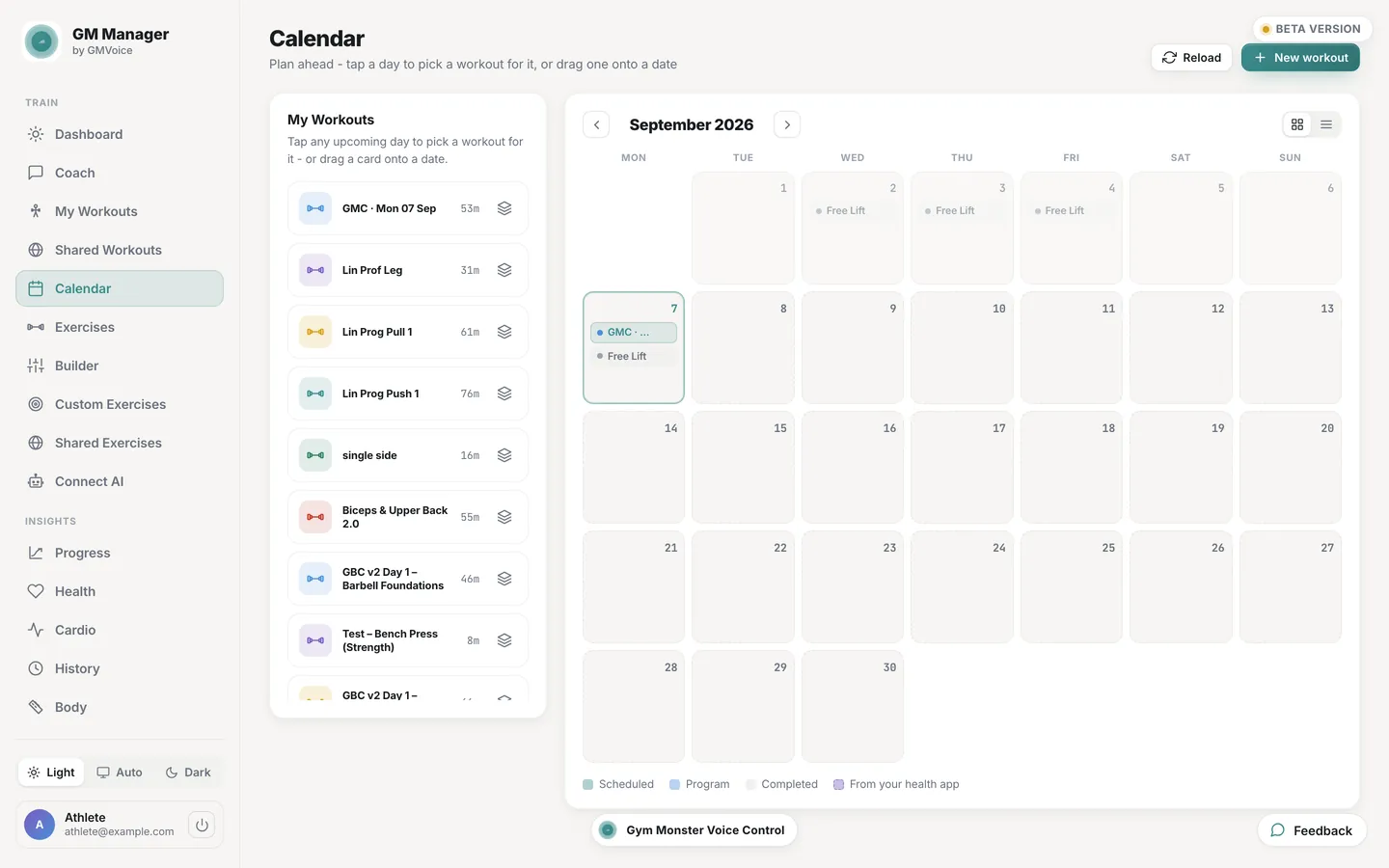
Put workouts on the days you train and see the whole month at once, with what you planned and what you actually did side by side.
Progress
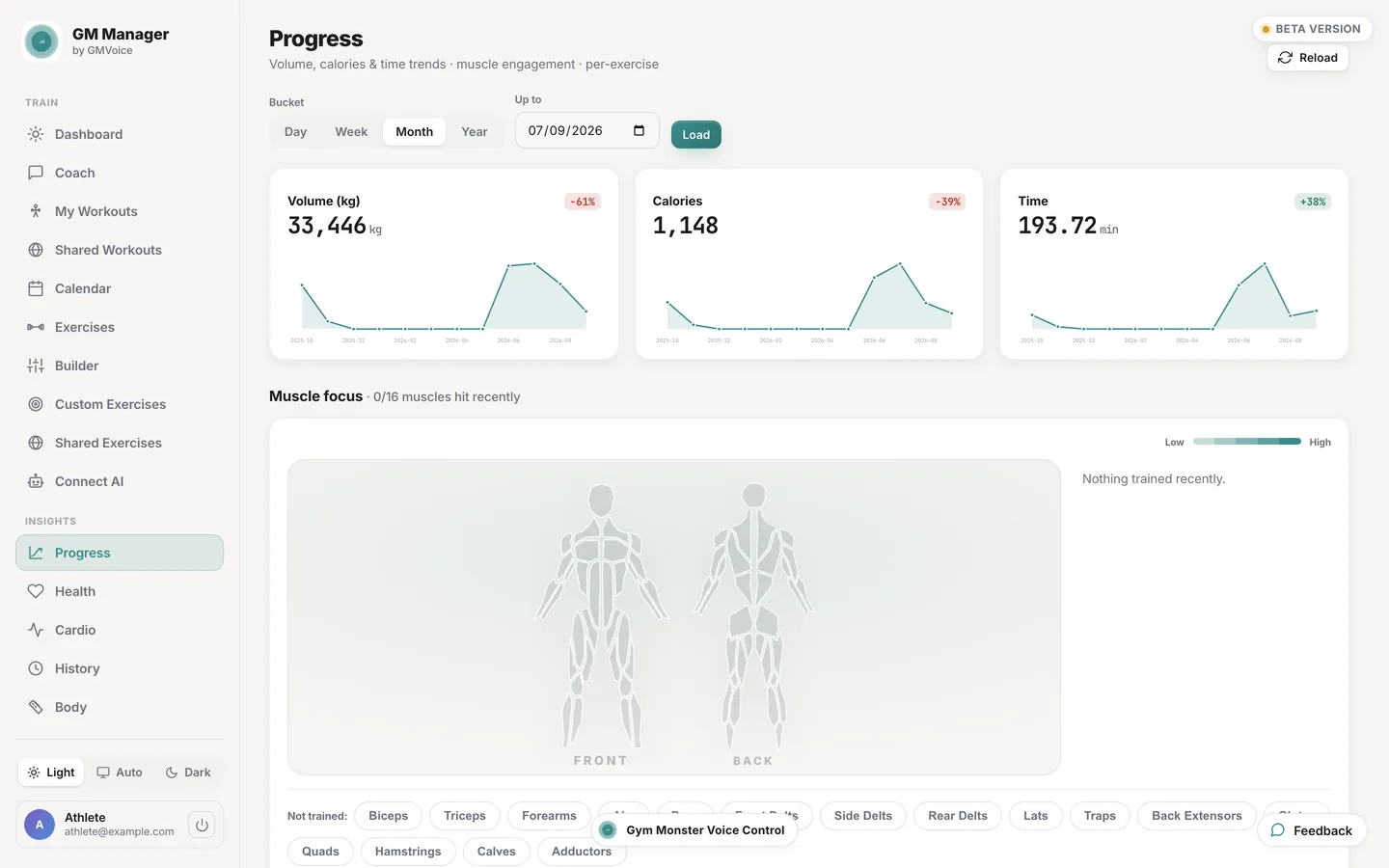
Every finished session, set by set. Per exercise charts, personal records and a training heatmap built from your own history.
Library
Publish a workout or a custom exercise you are proud of, and pick up what other people have shared. A shared item is a recipe you copy into your own account, so you can edit it freely.
Health
Recovery and readiness, body metrics over time, and the runs, rides and walks that reach your account from Apple Health or Health Connect.
Gym Monster
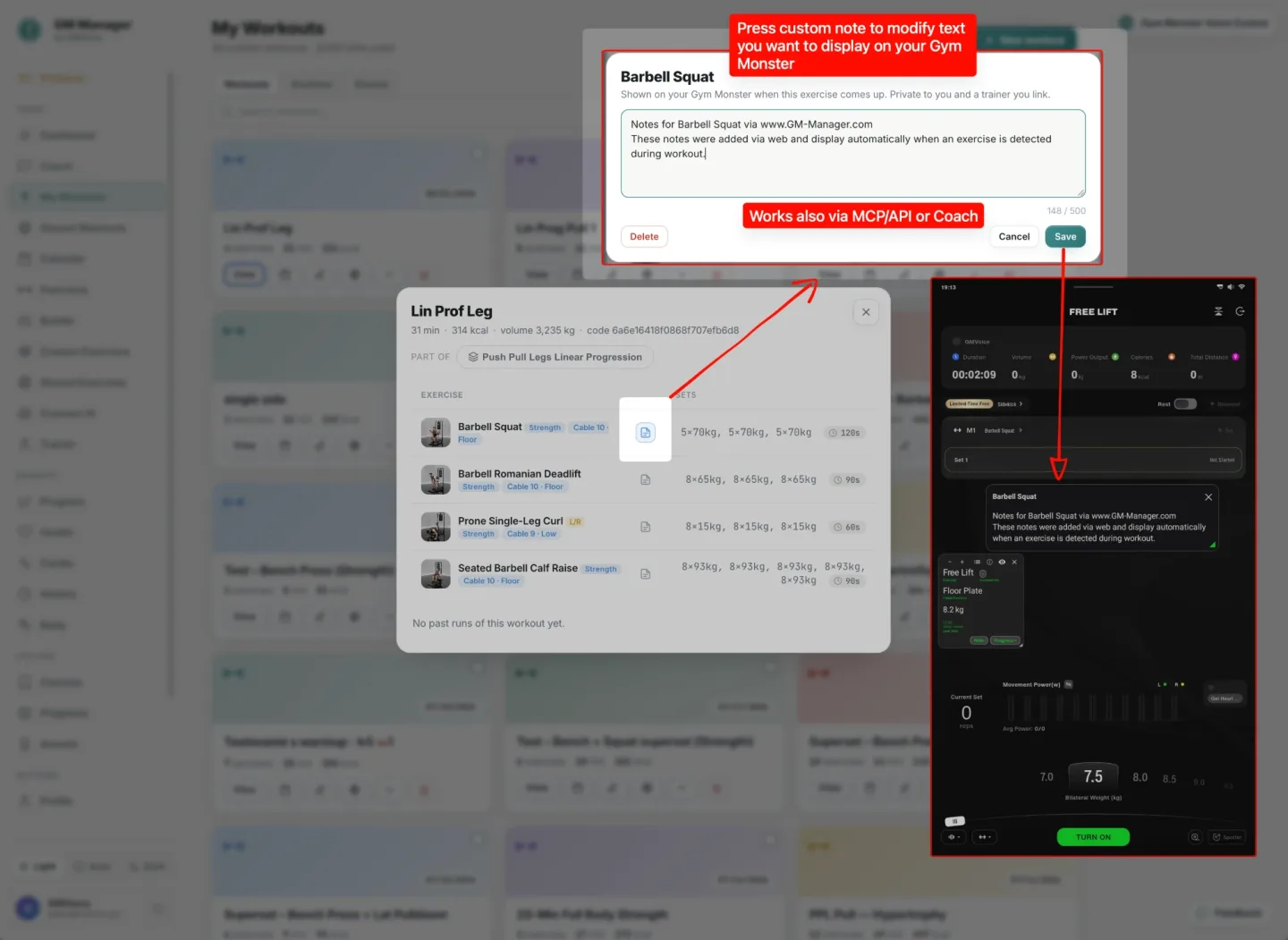
Write a private note for any exercise and it appears on the Gym Monster screen when that exercise comes up. Set it on the web, through MCP or the API, or let your coach leave a cue. Needs GMVoice connected in Hybrid or Wi-Fi mode.
Coach
An optional add-on that writes a training program from your real history and adjusts it week by week. The rest of GM Manager works without it.
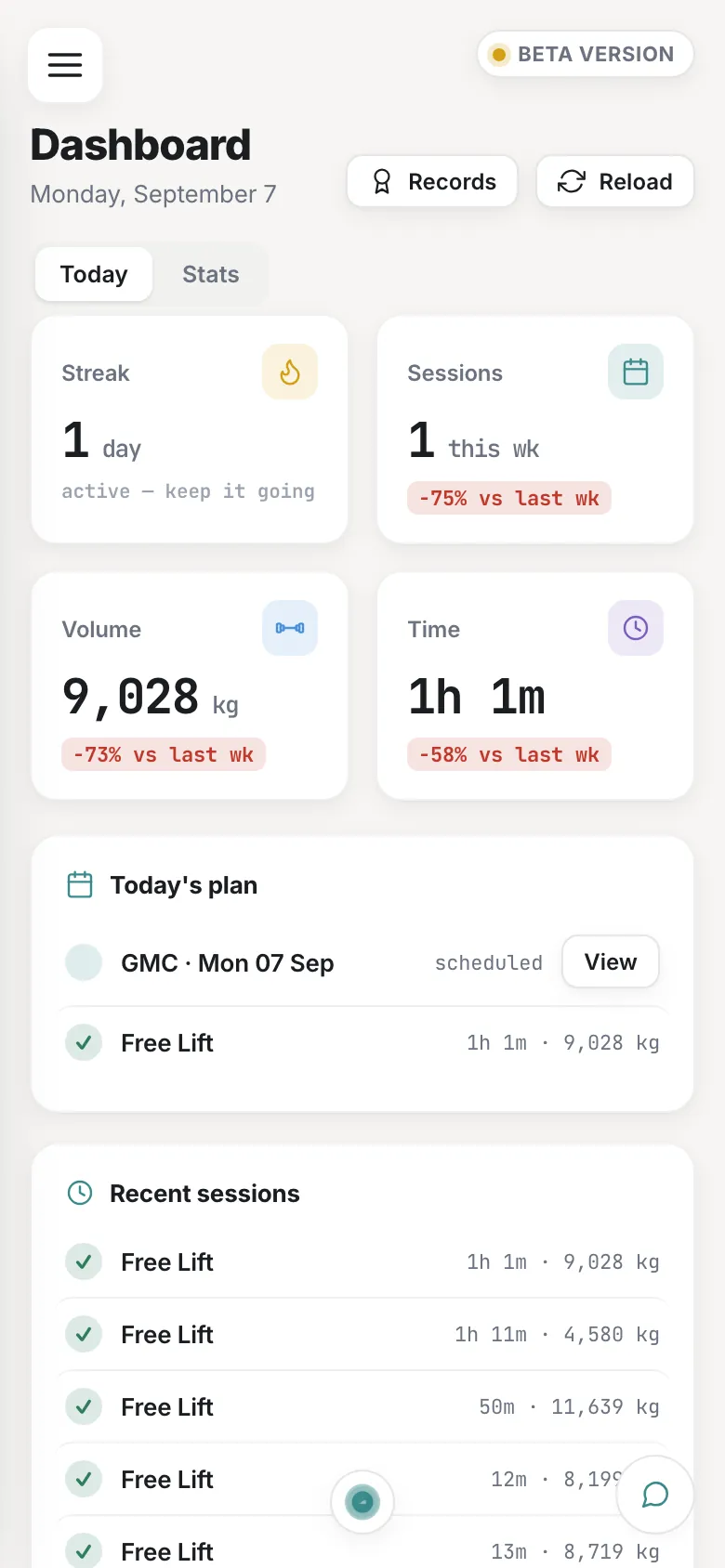
Screens from a real Speediance account, with the personal fields replaced. Same app you get when you log in, in your browser's light or dark theme.
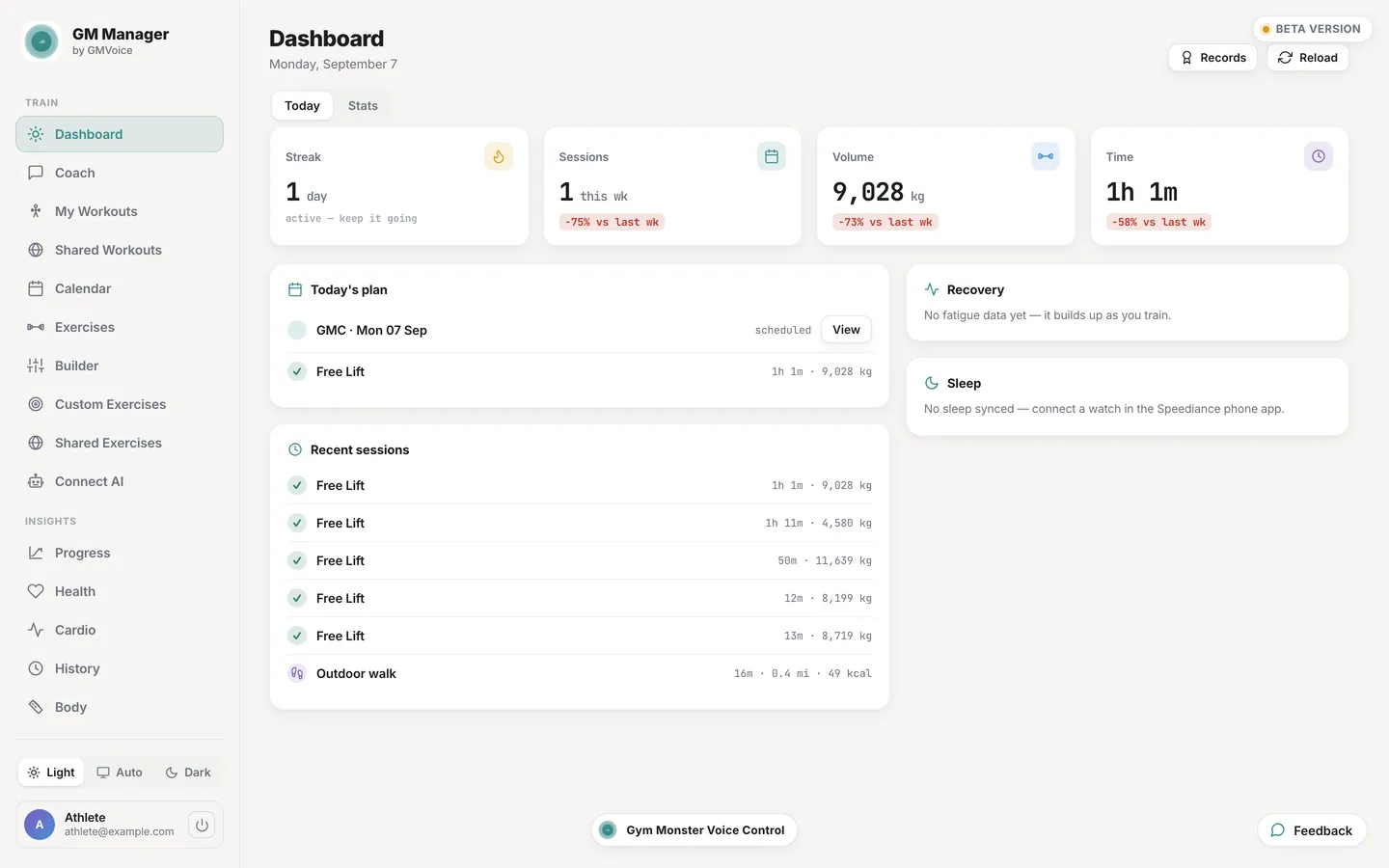
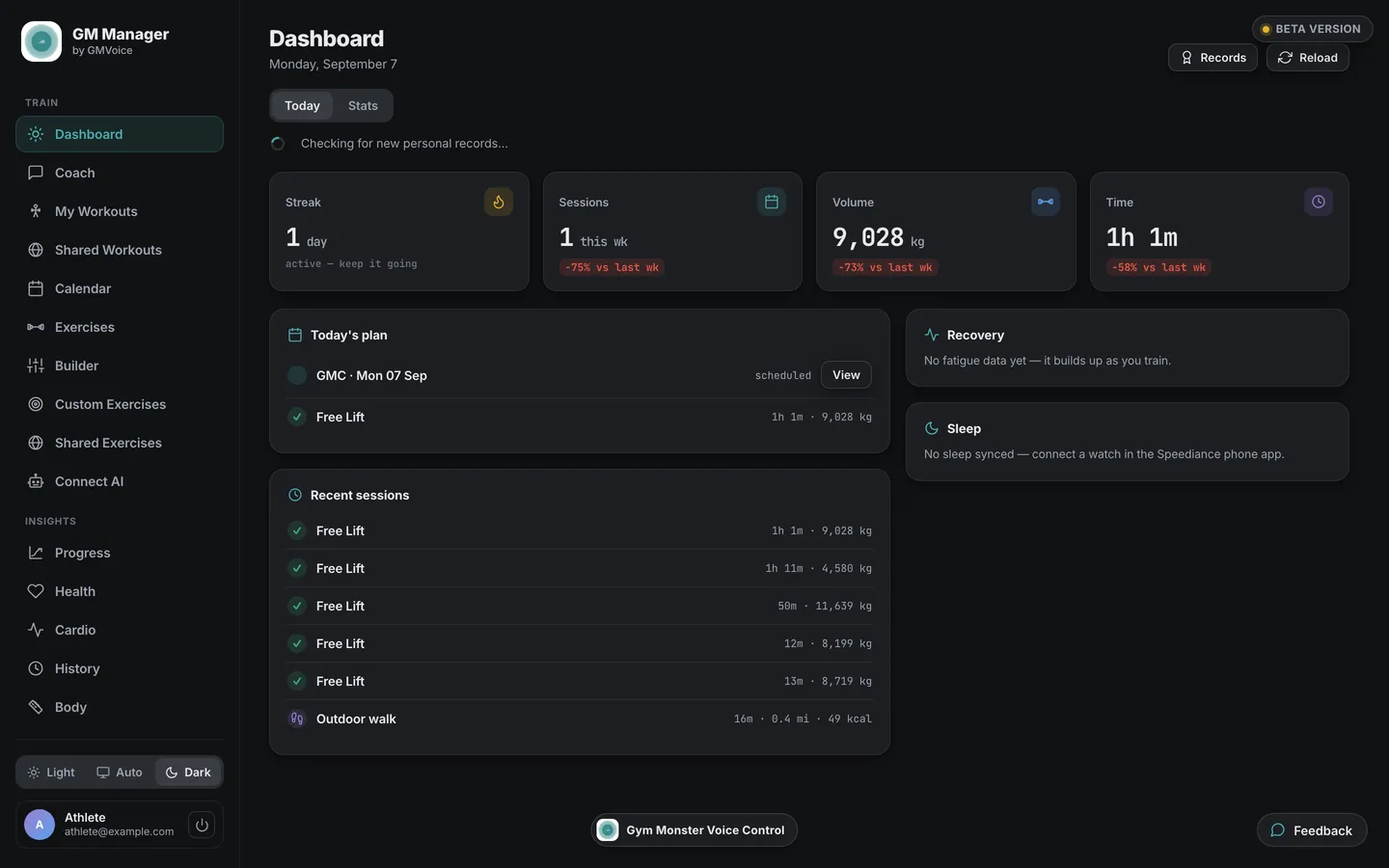
Three steps, no install, no second account to create.
It runs in the browser on a laptop, a tablet or a phone. There is nothing to download.
The same e-mail and password you use in the Speediance app. Your workouts, history and body data are already there.
Everything you save goes back to your Speediance account, so the machine sees it the next time you train.
Optional add-on
The coach is not a generic plan. It starts from what your Speediance account already knows about you: the sessions you finished, the loads you handled, the days you tend to train and the recovery data that came in overnight.
GM Manager is free. MCP, REST API and the AI coach are optional add-ons.
It does not invent numbers. Loads come from your assessed strength and your own set history, and a movement you have marked as one to avoid stays out of every session it writes.
Your data does not have to stay inside one app. GM Manager can hand it to the tools you already use, with a token you create and can revoke at any time. MCP and the REST API are optional add-ons.
Connect GM Manager as an MCP server and ask your assistant to look at your training and plan the next session. It reads your workouts, history and calendar, and can create or schedule a workout when you ask it to.
A documented REST API with your own token, for scripts, dashboards or anything else you want to build on top of your training data.
Subscribe to your planned sessions from Apple Calendar, Google Calendar or Outlook, and your training shows up next to the rest of your week.
Download your training history and body data as CSV files whenever you want, and keep your own copy.
Yes. The Builder runs in any browser, so you can put a custom Speediance workout together with a keyboard and a big screen. It is saved to your Speediance account, so the machine picks it up like any other custom workout.
Yes. GM Manager exports your training history and body data as CSV files, and it publishes your planned sessions as an .ics calendar feed you can subscribe to. There is also a REST API with your own token.
GM Manager is free. MCP, REST API and the AI coach are optional add-ons. Without them you still get the builder, the calendar, progress, history and the exports.
Yes. You can schedule any workout on a day, see the whole month at a glance and follow what you actually trained next to what you planned.
GM Manager is free. MCP, REST API and the AI coach are optional add-ons.
No. GM Manager is an independent web app built by GMVoice and it is not affiliated with Speediance. It signs in with your own Speediance account and works with the data that account already holds.
GM Manager works with the Speediance account rather than with one machine, so any machine that syncs to the Speediance app is covered, including Gym Monster and Gym Monster 2.
The web app is free. The paid tiers are billed monthly, in advance, through a payment gateway; API access can also be paid for a year at a time. Prices include VAT for customers in the EU; customers in Norway, Iceland and Liechtenstein are not charged VAT, and elsewhere Link calculates and includes any local tax.